
Citywide Customer Portal

Municipal Service Request Portal with Built-In Work Order Management

PSD Citywide’s municipal service request portal helps local governments receive, route, and track maintenance service requests in one connected system.
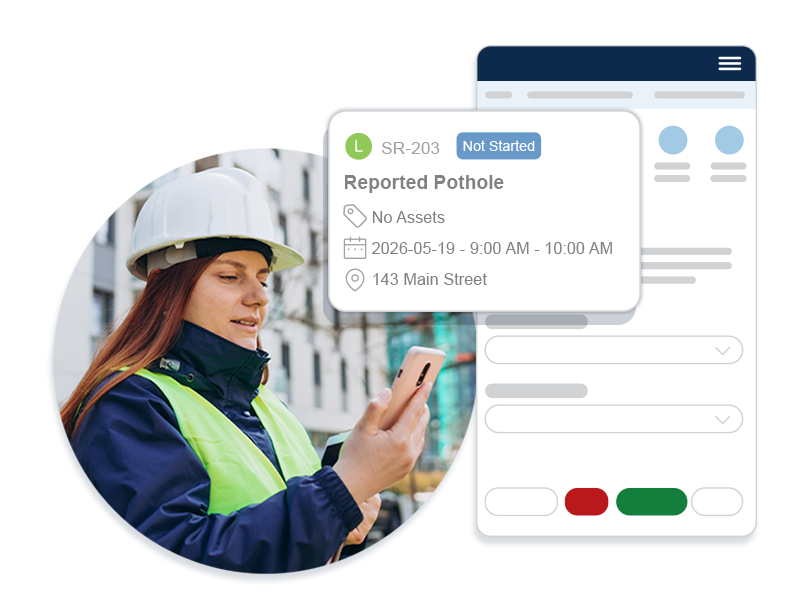
Image of Citywide software and public works employee on site.

What is the Citywide Customer Portal?

A self-service portal for residents and staff to submit and manage municipal maintenance requests online — built as an add-on to Citywide Maintenance.

Submit & track issues directly through a web portal

Real-time sync with automatic routing into the system

Geolocation support for accurate request mapping
Unlike a basic web form, it creates actionable service requests and work orders inside Citywide Maintenance — reducing manual handling and giving residents transparent service updates.

What is the Citywide Customer Portal?

A self-service portal for residents and staff to submit and manage municipal maintenance requests online — built as an add-on to Citywide Maintenance.

Unlike a basic web form, it creates actionable service requests and work orders inside Citywide Maintenance — reducing manual handling and giving residents transparent service updates.

Key capabilities:

Submit & track issues directly through a web portal

Real-time sync with automatic routing into the system

Geolocation support for accurate request mapping

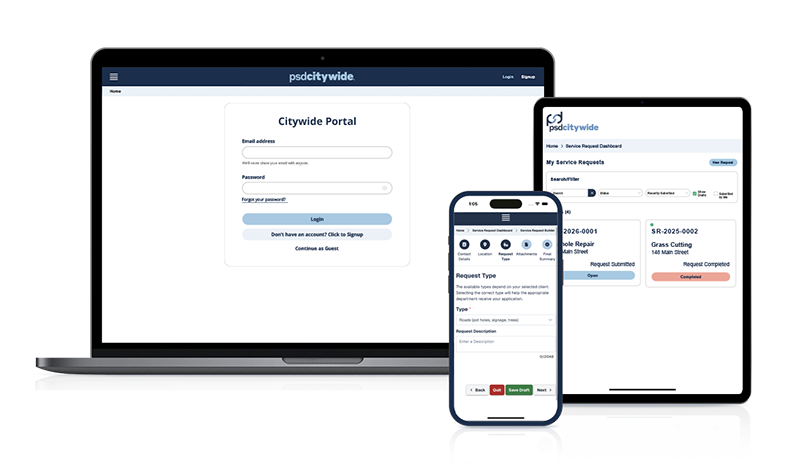
Citywide Customer Portal software on various devices.

Key Outcomes

The Citywide Customer Portal works with Citywide Maintenance to give municipalities a connected, self-service front end for submitting and managing service requests.

The Citywide Customer Portal sends service requests directly into Citywide Maintenance, helping municipalities cut delays and route issues to the right team faster.
Residents and staff can submit service requests, view status updates, and follow progress creating a clearer and more transparent service experience.
The service request portal supports map-based submissions and inspection scheduling, helping teams reduce back-and-forth communication and manage requests more efficiently.

See the Difference:
Basic Contact Form vs. the Citywide Customer Portal

See how a basic contact form compares to a citizen service request portal like the Citywide Customer Portal.

Basic Contact Form

Generates a service request directly in CMMS

Lets users track request progress

Supports automated routing to the right department

Lets users add location details through a map

Supports photo and file uploads

Connects directly to municipal operations

Citywide Customer Portal

Generates a service request directly in CMMS

Lets users track request progress

Supports automated routing to the right department

Lets users add location details through a map

Supports photo and file uploads

Connects directly to municipal operations

A municipal service request portal is an online system that lets residents and staff submit municipal issues, track progress, and follow them through resolution. It helps municipalities route requests to the right staff and keep users informed at every step, making the process faster and more efficient.
By auto-routing requests to the right team — eliminating manual email forwarding between departments — the portal reduces delays and improves response times, while map-based submissions help staff prioritize and resolve issues faster.
Yes. The service request portal supports both guest submissions and registered users.

Yes. The Citywide Customer Portal is an add-on feature of Citywide Maintenance, so service requests are synchronized directly with the system.

Yes. Users can view status updates and follow request progress.

Helping You Stay on Top of Every Service Request

The Citywide Customer Portal transforms the service request submission process into a clear, connected, and efficient online experience for both staff and citizens alike.
PSD Citywide icon.
PSD Citywide logo

Fill out the form below to access our Asset Management brochure.

Become a Partner